GOROL IPTV Player for Android & Android TV

Your playlist.
Your channels.
This is the player.

GOROL IPTV Player plays the IPTV service you already pay for — on a TV box, an Android TV, a phone or a tablet. Bring your Stalker Portal, Xtream login or M3U playlist, and watch it on a screen built for a remote.

One price, once. You buy the player once on Google Play and it stays yours — no monthly fee, no yearly fee, nothing to subscribe to inside the app. Updates are included.

Sold only on Google Play. Copies from other download sites are not genuine, are not supported, and will not run.

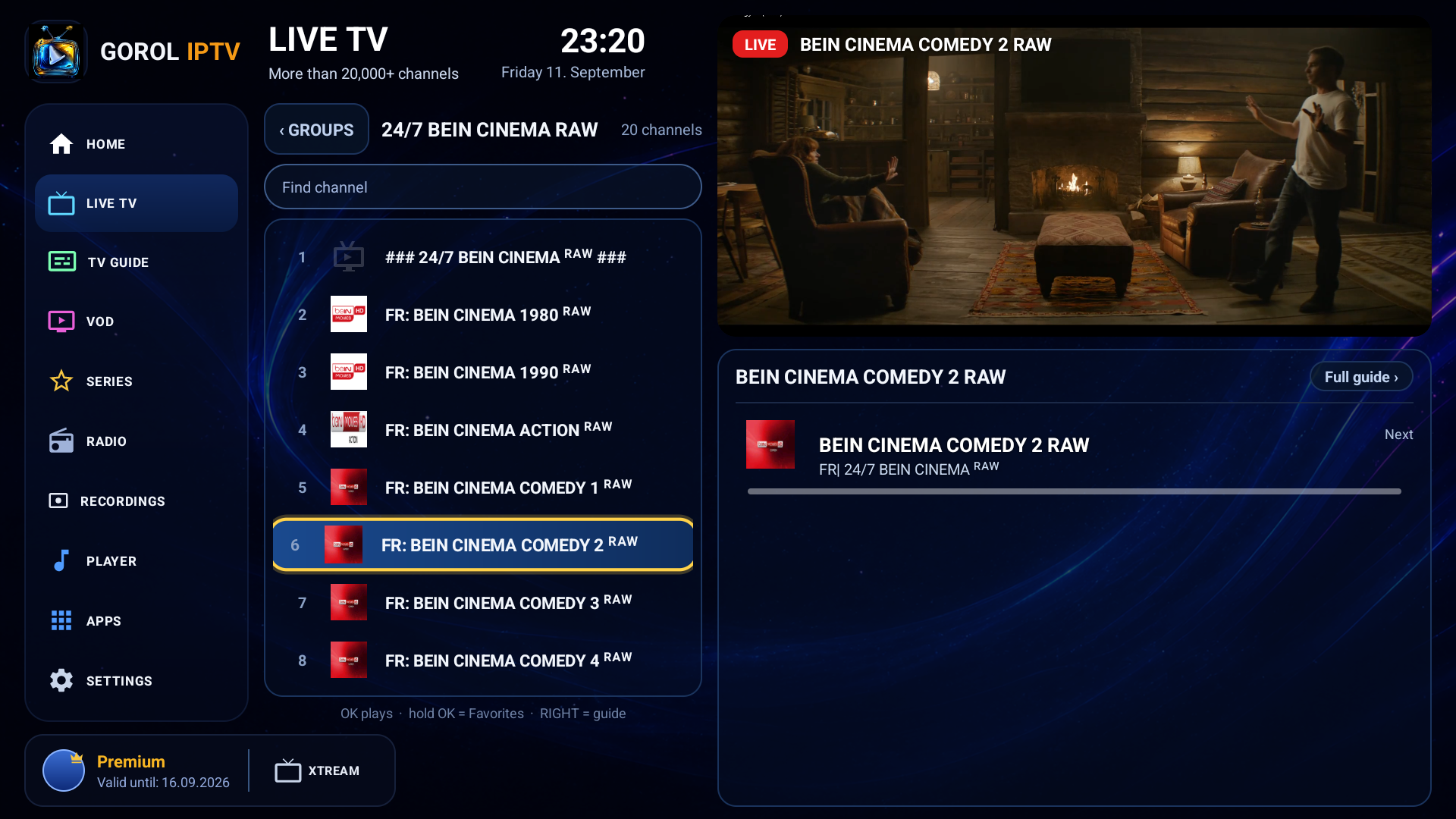
GOROL IPTV Player on a television: the channel list on the left, the channel playing on the right, with the programme guide underneath.
Live TV · GOROL 2026 menu
Sources
3Stalker Portal, Xtream, M3U
Guide
7 + 7days back and ahead
Languages
12menus, top to bottom
Screens
5TV, box, phone, tablet, car
See it running

A minute on a real television

Live TV, the guide, films and recording — filmed from the sofa with a remote in hand, on the screens you would actually use it on.

Everything it does

The whole list, nothing hidden

Watching

  • Live TV with what is on now and next
  • TV guide, seven days back and seven ahead
  • Catch-up where your provider offers it
  • Films and series with posters and plot
  • Continue watching from where you stopped
  • Search the whole catalogue by name
  • Multi-view: two channels side by side
  • Switch the sound between the two windows

Recording

  • Record what is playing, one press
  • Schedule from the guide, runs with the app closed
  • To internal storage or a USB stick
  • A list of everything you recorded

Sound

  • Internet radio by country and genre
  • Music on the device, with an equalizer
  • Video files on the device

Every day

  • Favourites: hold OK on a channel
  • Several playlists side by side
  • Two menus, five colour shades
  • Twelve languages, menus and all
  • Buffer settings for weak boxes
  • Sleep timer
  • Screen fit for older televisions
What it is

A player, and nothing but a player

No channels are included and nothing is sold inside the app. You connect the provider you already have, and GOROL gives you a fast, readable way to watch it — with a remote, from the sofa, without hunting for the thing you want.

Live TV

Every channel you pay for, in order

Channels arrive grouped the way your provider sends them — by country or by group — with the programme running now, what is next, and how far through it is. Hold OK on any channel to drop it into Favourites. Press RIGHT to open that channel's guide. Nothing is hidden behind a menu you have to learn.

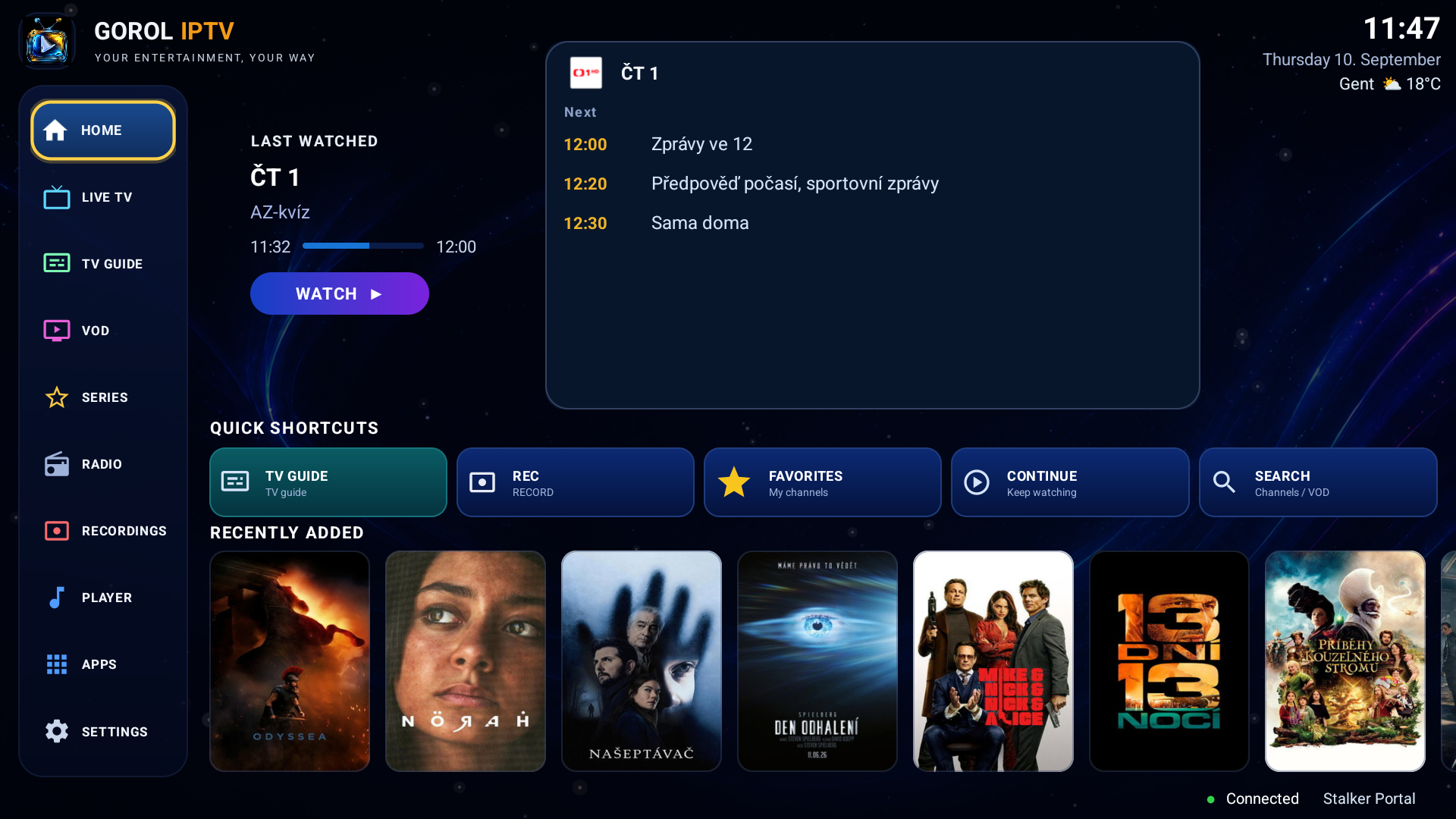
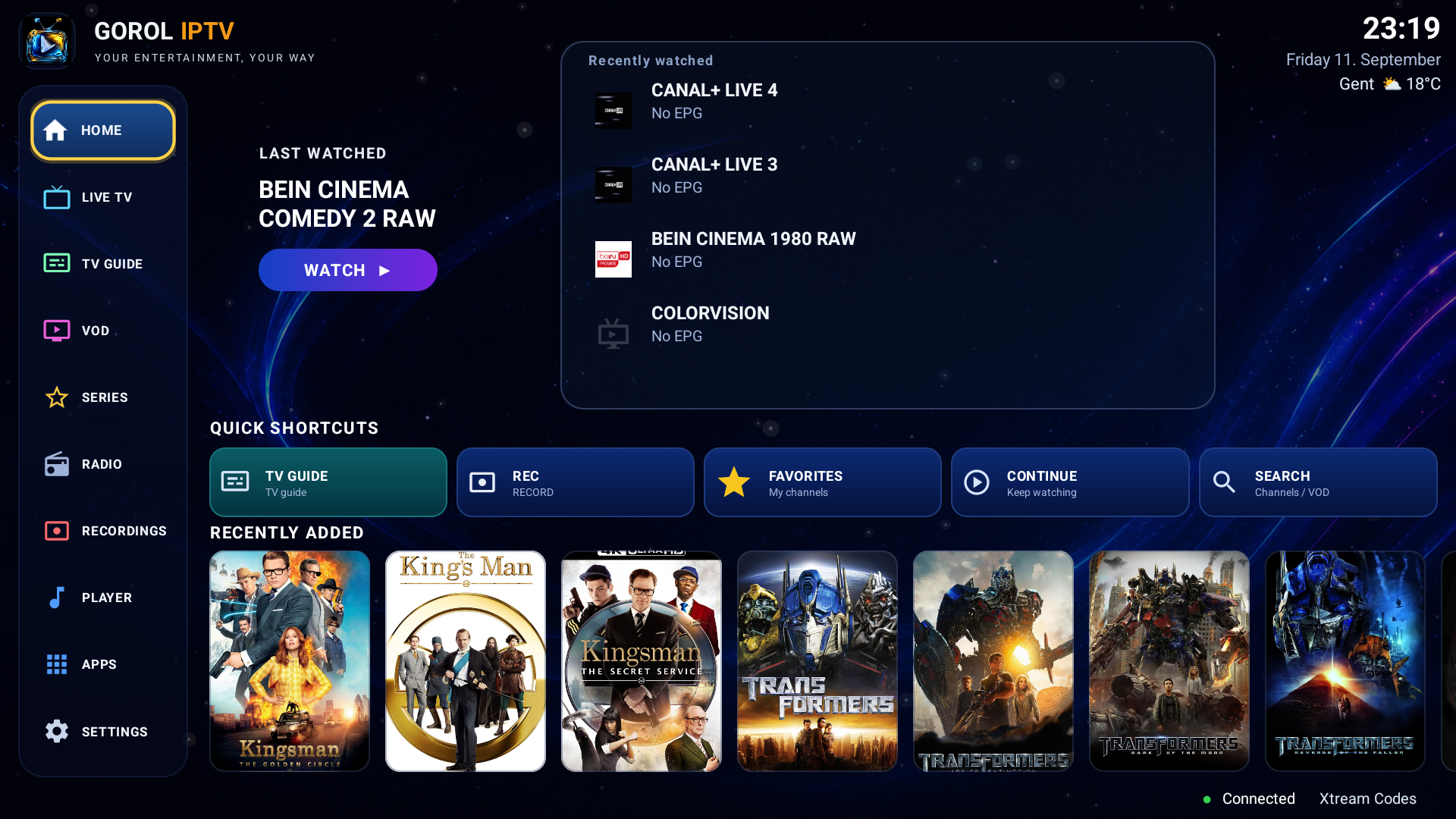
The GOROL 2026 home screen: recently watched channels with their current programme, quick shortcuts and a row of recently added films.
TV Guide

A fortnight, not just tonight

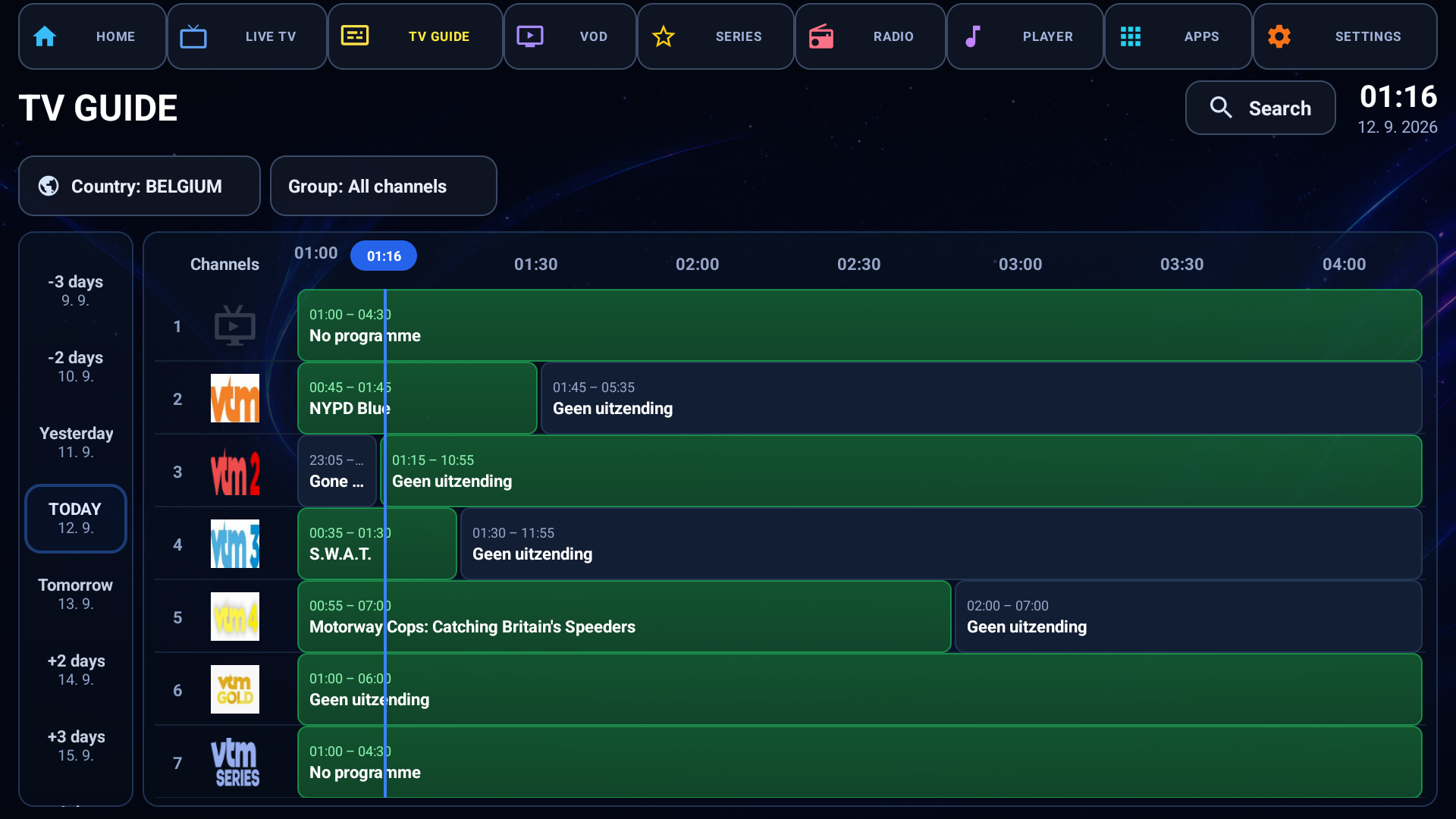
Channels down, hours across, the programme playing now marked on the line. The day rail runs seven days back and seven days ahead with today in the middle, so catch-up and what's scheduled sit in the same place. Where your provider offers archive, the past days play.

The TV guide: a grid of channels and hours, with a rail of days down the left side and today highlighted in the middle.
Films and series

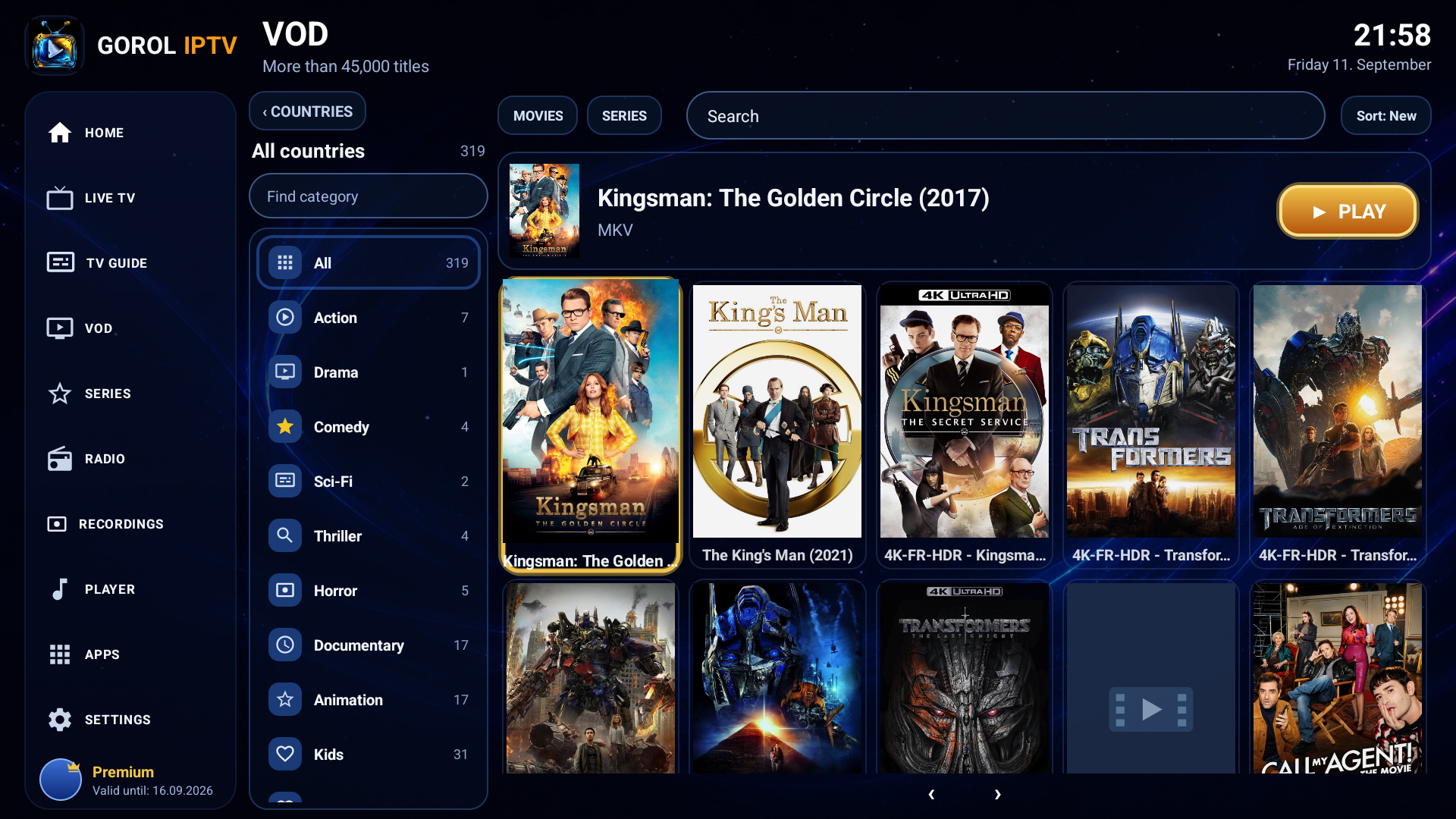
Catalogues that stay usable at 45,000 titles

Posters, plot, year and quality, with countries and genres down the side. Search looks through the whole catalogue by title — not only the page you happen to be on — and Continue watching picks a film up where you stopped.

The film catalogue: a grid of posters with countries and genres listed down the left and the selected film shown above.
Radio and music

When the television is off

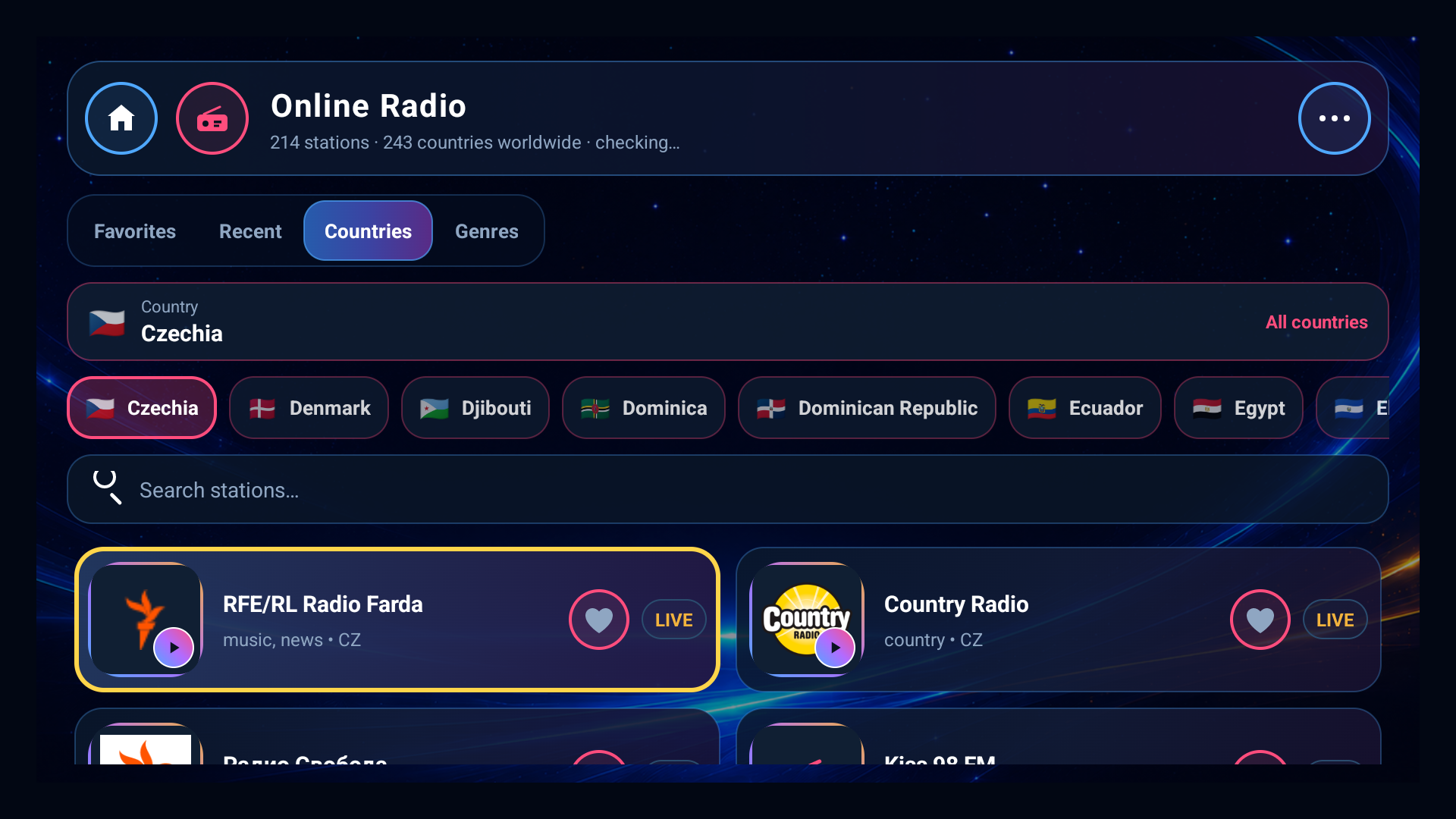
Thousands of internet radio stations by country and genre, with station artwork and — where the station publishes one — what is on air. Plus a player for the music already on the device. In a car, both run through the head unit's own media screen, so the steering wheel controls work.

The online radio screen: country chips across the top and a grid of stations with their logos.
Advanced settings

Everything worth changing, on one screen

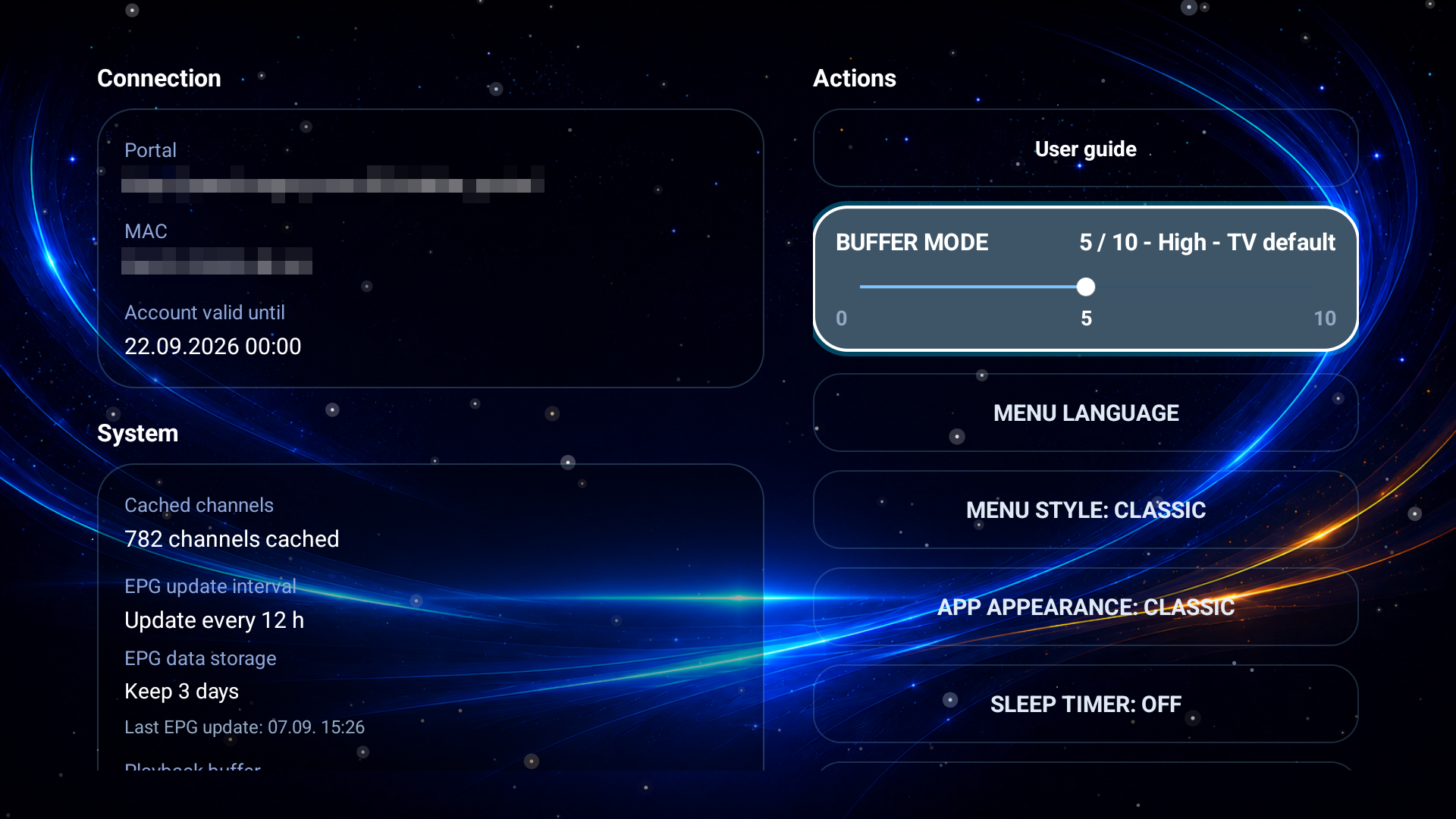
Connection and account on the left, the switches on the right: buffer size for a weak line, menu language, menu style, app appearance, sleep timer, how often the guide refreshes and how many days of it to keep. No sub-menus to dig through — the screen tells you what the app is doing and lets you change it in the same place.

The settings screen: connection and system information on the left, and buttons for buffer mode, menu language, menu style, app appearance and sleep timer on the right.
Two at once

Two channels, side by side

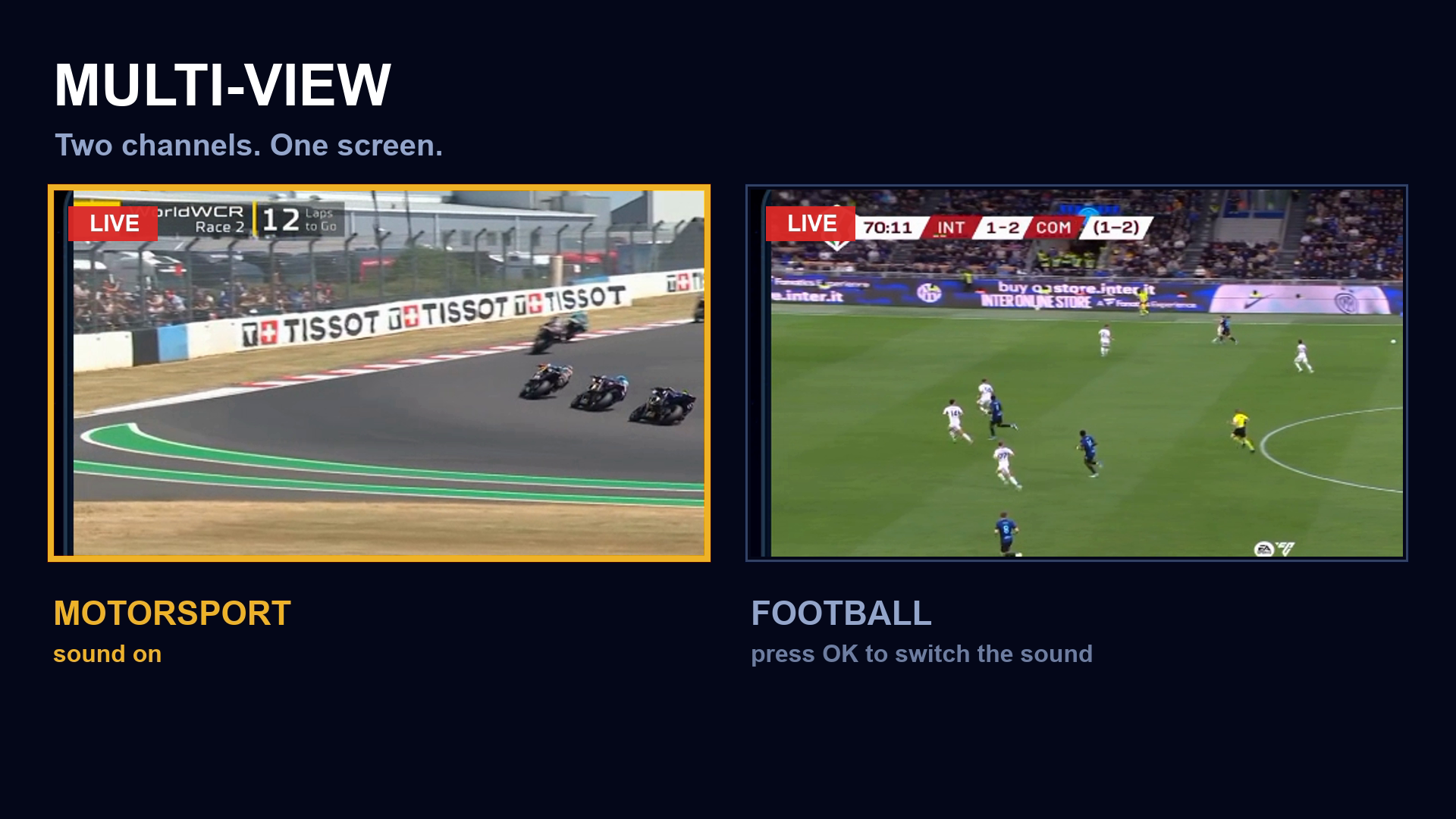
Open a second window beside the first and keep an eye on both — the match and the news, or two matches at once. Pick each window's channel from the list, switch which one you hear with a single button, and make either one full screen when it matters. Two windows is the limit, so the picture keeps up even on a weaker box. Your provider has to allow more than one stream at a time.

Multi-view: two live channels side by side on one screen, the left window outlined in gold to show it is the one you hear.
Two menus

Pick the one you like looking at

The same app, the same playlist, the same channels — in two different skins. Choose one when you first start the app, and change your mind whenever you like in Settings. Neither is a cut-down version of the other.

Also in the box

The parts you notice on day two

Recording

Record what is playing to internal storage or a USB drive, or schedule a programme from the guide and let it run without you.

Several playlists

Keep more than one provider side by side and switch between them in a couple of clicks — each keeps its own favourites and look.

Five colour shades

The GOROL 2026 menu comes in five shades — blue, teal, violet, amber and graphite — so the app matches the room it is in.

Built for a remote

Every screen works with the D-pad, one clear gold cursor, number keys and channel up/down. It behaves the way a TV app should.

Twelve languages

English, Czech, German, Spanish, French, Dutch, Polish, Russian, Turkish, Arabic, Armenian and Chinese — menus, not just labels.

Weak boxes welcome

Buffer and performance settings for the cheap Android boxes people actually own, not only the fast ones.

Getting started

Three steps, once

01

Install it

From Google Play, on the TV, the box, the phone or the tablet you watch on.

02

Add your service

Stalker Portal, an Xtream login, or the address of your M3U playlist. The app remembers it.

03

Watch

Channels, guide, films and radio arrive from your own provider. Nothing else to set up.

Supported sources

What you can connect

Stalker Portal

Portal address and MAC login, the way set-top boxes do it. Archive and catch-up where the portal serves them.

Xtream Codes

Server, username and password. Live, films and series come through the one account.

M3U / M3U8

A playlist address, with XMLTV guide data if your provider publishes it.

Latest update

What changed, and why

This release is about finding your way around. Xtream countries and groups now work the same way in the classic menu, in GOROL 2026 and in Multi-view. There is a connection check you can run before you even log in, and loading and the remote control respond faster.

1.8.8 October 2026 Android & Android TV
  • Xtream countries and groups, the same everywhere. Moving between countries and groups now works the same in the classic menu, in GOROL 2026 and in Multi-view.
  • A connection check before you log in. Diagnostics you can run without an account, so you can see where a portal or a playlist is failing before you sign in.
  • Faster loading, steadier remote. Lists load more quickly and moving around with the remote control is more reliable.